


Twinmotion: The Future of Real-Time Rendering
- Jan 4
- 6 min read
Updated: Mar 5
In collaboration with: GXGprojects
Epic has skyrocketed the software into the professional spotlight. Today, it is a staple in the workflows of world-renowned firms like Zaha Hadid Architects and BIG (Bjarke Ingels Group).

Twinmotion, which debuted in 2005, is a high-end, real-time visualization tool powered by Unreal Engine. Whether you are an architect, urban planner, or a designer in fashion and consumer products, Twinmotion allows you to transform design data into high-quality images, 360° VR videos, and interactive presentations with unprecedented speed.
In modern design, a 2D plan isn't always enough. Rendering is the bridge between a technical concept and a client’s emotional connection to a space. Because Twinmotion makes this process so efficient, real-time rendering has shifted from a "luxury skill" to a mandatory tool for architects.
Which features make Twinmotion unique?
1. High-Fidelity Rendering: Path Tracer & Lumen
The introduction of the Path Tracer and Lumen (from Unreal Engine 5) has been a total game-changer for architectural realism.
Path Tracer: This engine calculates the physics of light with cinematic precision. It handles complex reflections and global illumination far more accurately than traditional rasterizers.
Lumen Lighting: For those who need speed, Lumen provides high-quality dynamic lighting in real-time. If you move a sun slider or a wall, the light bounces update instantly.
HDRI Environments: Twinmotion includes an extensive library of built-in HDRI maps. These "sky domes" provide natural, 360-degree lighting that instantly gives your render a professional, atmospheric look.
2. The Twinmotion Cloud: Seamless Collaboration
The Twinmotion Cloud allows you to share your vision without sending massive files or requiring your client to own a high-end PC.
One-Click Upload: Simply upload your "Presentation" or "Panorama Set" to the cloud.
Web-Based Viewing: Your client receives a secure hyperlink or HTML embed code. They can "walk through" the project in their web browser (on a phone, tablet, or PC) as if they were playing a game.
Interactive Reviews: This is vastly superior to static PDFs; clients can explore different angles and material variants in real-time, significantly speeding up the approval process.
3. Immersive VR Integration
Twinmotion offers "Plug-and-Play" compatibility with most major VR headsets (Oculus, HTC Vive, etc.).
Motion Sickness Prevention: A common issue in VR is "sim sickness." Twinmotion mitigates this by intelligently synchronizing the rendering frame rate with the headset’s refresh rate, ensuring a smooth, nausea-free experience.
Virtual "Walk-throughs": Using VR allows clients to understand spatial scale in a way that is impossible through a 2D screen, making it one of the most powerful sales tools in an architect's arsenal.
Compatibility, Ecosystem & Cost
Twinmotion is a "bridge" software. It doesn't replace your modelling tool; it enhances it. It offers one-click synchronization (Datasmith) with:
BIM Leaders: Revit, ArchiCAD, and Vectorworks.
3D Modelling: SketchUp Pro, Rhino (including Grasshopper), and 3ds Max.
Asset Libraries: Built-in access to Quixel Megascans, Sketchfab, and Adobe Substance, giving you millions of high-quality assets at your fingertips.
Twinmotion is available on both macOS and Windows and is compatible with most 3D modelling software and all major BIM software on the market, while offering one-click synchronization with popular BIM software like Revit and ArchiCAD, parametric modelling software like Rhino with Grasshopper, SketchUp Pro, and RIKAD.
The recommended Twinmotion system requirements are as follows:
Operating systems: 10 / 64 bits Processor Quad Core 3,0 GHz
Memory (RAM): 8 – 16 GB
Graphics card: 4 GB VRAM, NVIDIA GTX 770 / ATI Radeon R9 280X, DirectX 11 or DirectX 12 compatible graphics card
Processor: Quad-core Intel or AMD, 2.5 GHz or faster
Hard disk: 5 GB available
The Twinmotion system requirements are quite standard for most rendering software. However, the hard disk space required is noticeably less than other software of similar strength, like in the case of Lumion.
One of Twinmotion's biggest strengths is its flexible pricing model:
Free Version: Completely free for students, educators, and individuals/companies with less than $1 million USD in annual gross revenue.
Commercial Version: For larger firms, seats are priced at approximately $445 per year, providing access to Twinmotion Cloud for easy project sharing.








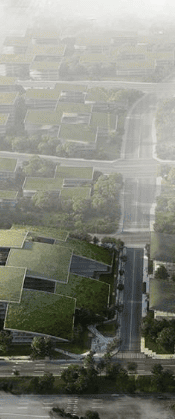


What’s New in Twinmotion 2025.2: A Giant Leap Forward
The 2025.2 release isn't just a minor patch; it integrates legendary features from Unreal Engine 5 that fundamentally change how we handle large-scale architectural data.
1. Power & Performance: The Nanite Revolution
Following the success of Lumen, Twinmotion now introduces Nanite Virtualized Geometry.
Infinite Detail: You can now import meshes with billions of polygons without crashing your system. Nanite only renders the pixels you can actually see, making "file optimization" a thing of the past.
Smart Conversion: You can batch-convert existing project assets (including Trees, Megascans, and Sketchfab models) into Nanite objects to instantly boost your viewport speed.
2. Visual Storytelling & Realism
Creating a "lived-in" feel used to take hours. These new tools automate the most tedious parts of visualization:
Parallax Windows: Instead of modelling complex interiors for every room in a skyscraper, you can now apply a 2D "Parallax Shader." It creates a convincing 3D illusion of a furnished room (offices, gyms, retail) on a flat plane.
Animated Fog Cards: Add localized, artistic fog with a simple drag-and-drop. Unlike global fog, these "cards" react to wind and can be placed specifically to highlight certain areas of your design.
Non-Photorealistic Rendering (NPR): For early-stage concepts, you can now use a reworked FX system to create hand-drawn, hatched, or painterly styles. This prevents stakeholders from getting hung up on material details before the form is finalized.
Virtual Camera (VCam): Link your iPhone or Android to Twinmotion and use it as a physical camera. By walking around your office, you can explore your 3D model with natural, handheld movement—perfect for cinematic shot exploration.
3. Advanced Animation: The "Exploder" Tool
Presenting technical details is now much more dynamic thanks to enhancements in the animation engine:
The Exploder Animator: Instantly create "exploded views" of your buildings or products. You can choose shapes (radial, planar, or spherical) to push parts outward, creating professional assembly animations in seconds.
Staggered Movement: New "Stagger Offsets" allow objects to drop from the sky or rise from the ground in a cascading sequence rather than all at once, adding a "wow" factor to your presentations.
4. Workflow & UI Refinements
Efficiency is at the heart of this update, ensuring you spend less time clicking and more time designing.
Multi-Drop Tool: Apply materials to multiple objects in rapid succession without the "drag-and-drop" fatigue.
Camera Sync: If you use Revit, Archicad, Rhino, or SketchUp, you can now sync your CAD viewport camera with Twinmotion. When you rotate your view in Rhino, Twinmotion follows instantly.
Material Folders: Finally, you can organize your material dock into custom folders and search for them by name—a lifesaver for massive projects.
Cloud-Hosted Content: The installer is now lighter because the library is cloud-based. You download only what you need, making it easier to manage storage on smaller SSDs.


